








CrossPoint Sync
read on every device

Your reading, in sync everywhere

Your e-reader's progress, clippings and stats on your phone and the web, and in the services you already use.

  • Hardcover
  • BookFusion
  • Readwise
  • Spotify
  • Micro.blog
  • Audiobookshelf
  • Jellyfin
  • BookOrbit
  • Seekquel
  • Readest

Everything you read, in one place.

Your library, highlights and reading habits, on your phone and the web.

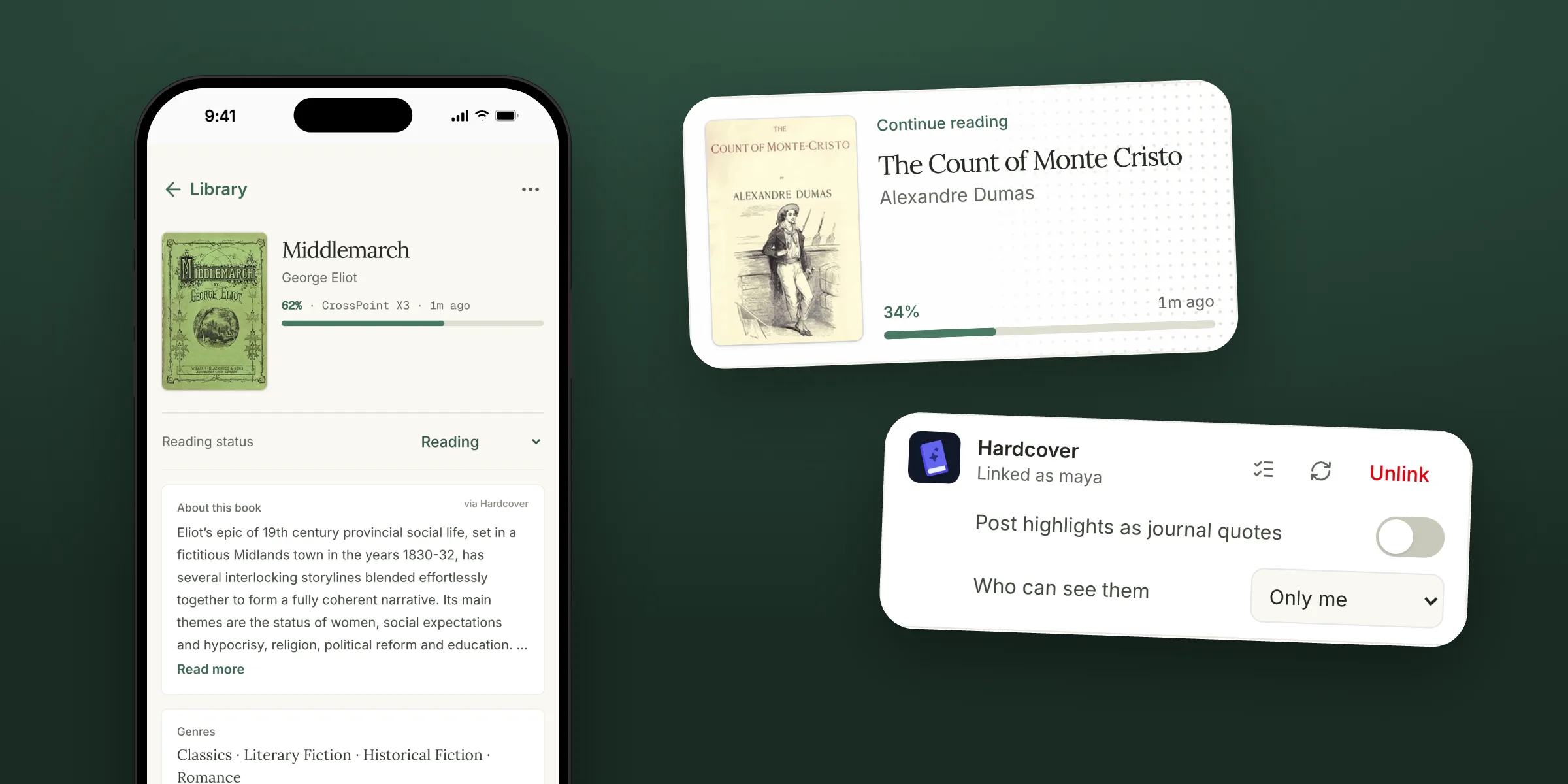
A book's page in the app, with its progress and its Hardcover link

Every book, with its story

Open any book for its cover, description, moods and how long it took you.

  • Covers, descriptions and genres filled in automatically
  • See what comes next when you finish a book in a series
  • Mark books reading, paused, finished or did not finish
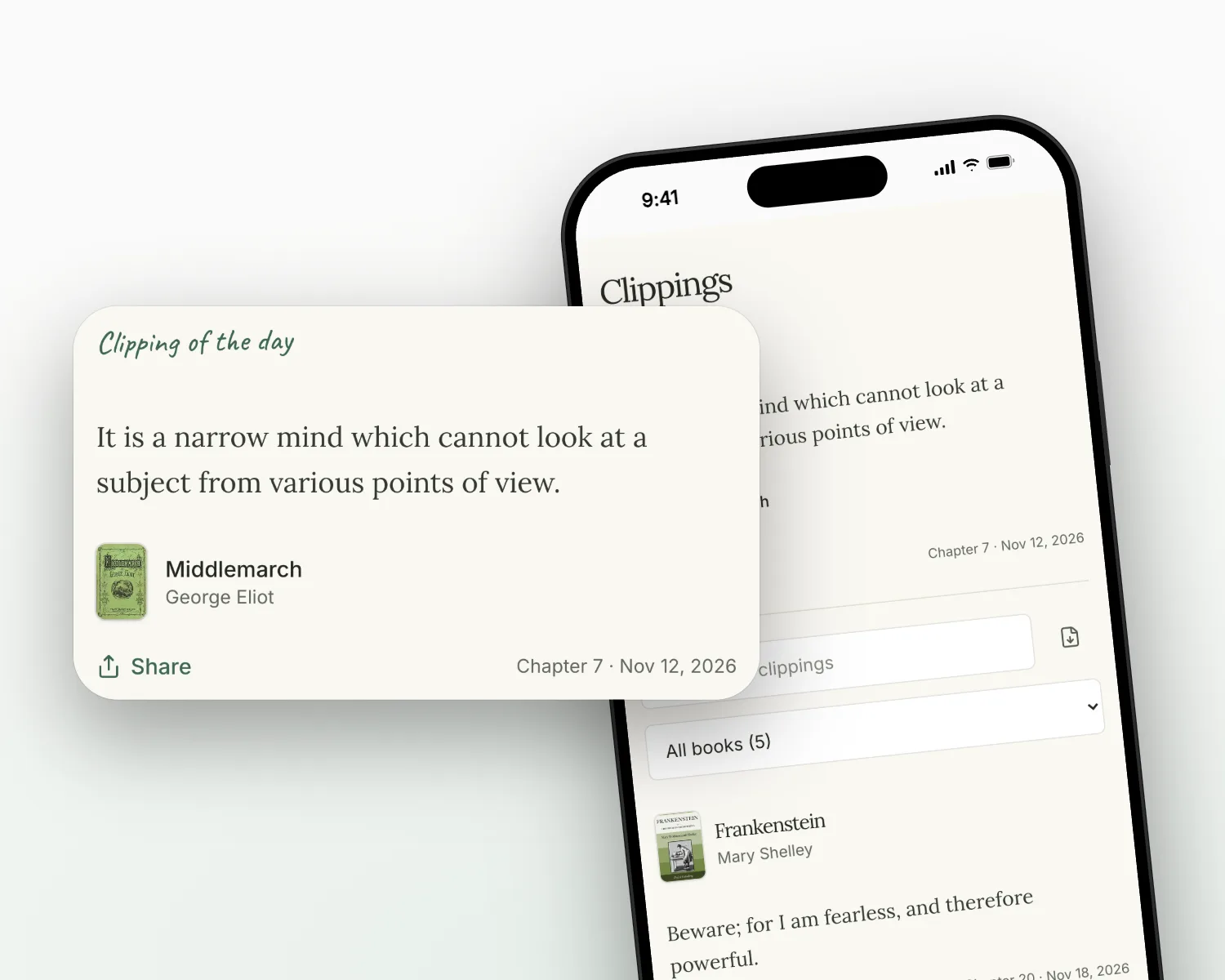
The clipping of the day in the app

Highlights that leave the device

Every passage you highlight on your reader shows up here, searchable and ready to share.

  • A highlight of the day, pulled from everything you've saved
  • Search across every book, or copy them all as Markdown
  • Share any passage as an image card with its cover
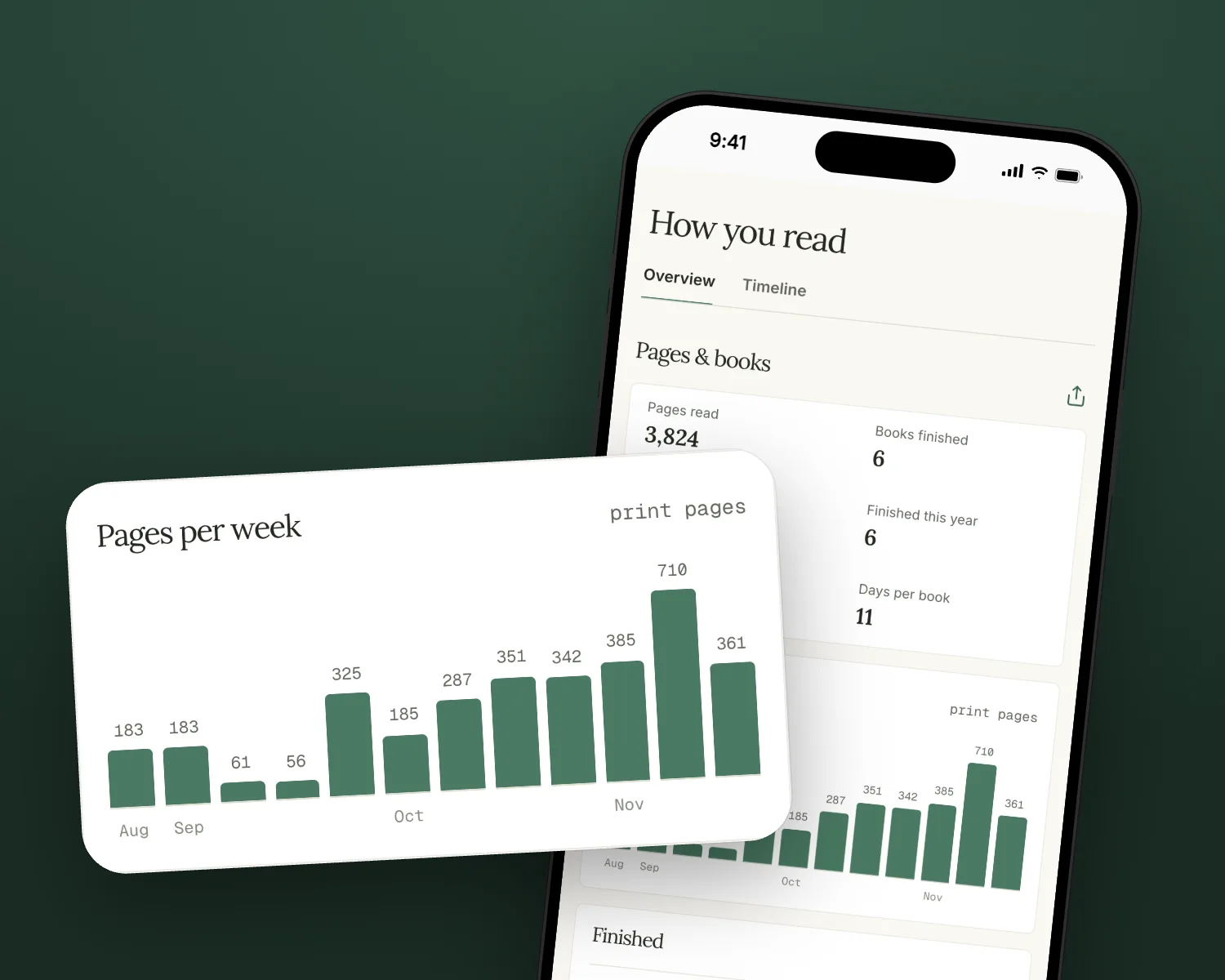
Pages per week in the app's reading stats

See how you read

Pages per week, the days you read, and the moods and genres you keep coming back to.

  • Your streak, pages read and books finished
  • A day-by-day timeline of what you read
  • A yearly goal for books to finish
new in the app

CrossPaper: your feeds as a daily EPUB

Follow RSS feeds and save pages you want to read later. Each day's edition bundles them into one EPUB for your reader.

  • Follow up to 30 feeds, or paste any site address
  • Article text only: no ads, no images, no links
  • Download an edition or send it to your reader
  • Past editions are kept for two weeks
The front page of a CrossPaper edition, drawn for an e-ink screen

Works with any KOSync reader

CrossPoint, CrossInk and KOReader already speak KOSync. Change one setting, the sync server address, and keep reading.

Set up your reader →
  1. Point your reader here

    Sign in under KOReader Sync on CrossPoint, CrossInk or KOReader. No plugin to install.

  2. Sync when you want to

    Send your progress from KOReader Sync, then pick up on another device right where you left off.

  3. View & share in app

    Your library, highlights and reading habits, on your phone and the web.

Run it here, or host it yourself.

Free to use and open source. The hosted service and self-hosted installs run the exact same thing: one Docker image.

one command, your own server
$ docker run -d --name crosspoint-sync \
    -p 8080:8080 \
    -v crosspoint-data:/data \
    ghcr.io/crosspoint-reader/crosspoint-sync:main

Start syncing in a minute.